Iconic 7-Segment LED Clock & System Telemetry
On Your Desktop & Mobile
The ultimate real-time hardware monitor, live network speed meter, and customizable LED clock. Seamlessly engineered for Windows PC and your Android Home Screen.
DeskClock for Windows
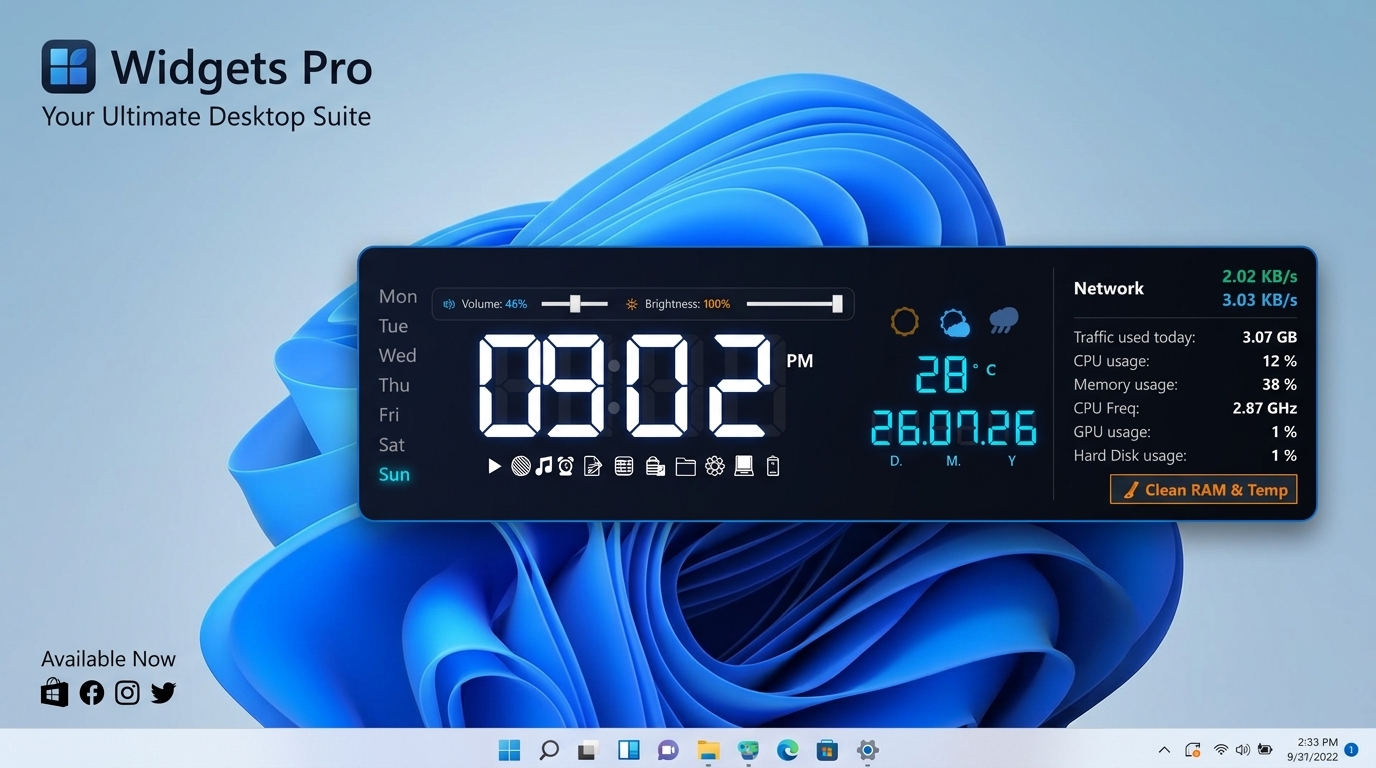
Upright LED Mirror Clock, live Taskbar Speed Meter (KB/s & MB/s), and real-time CPU, RAM, GPU, and Disk telemetry.
DeskClock for Android
Seamless 40%:60% Frosted Acrylic Widget for home screen with Live Net Speed capsule, 95dp Luxury Analog Clock, 1-Tap Biometric Screen Off, and RAM Booster.
DeskClock Windows & Android Engine in Action
Desktop CPU Overhead
Android Widget RAM
Per-Second Bandwidth
Free & Ad-Free Forever
Designed for Performance & Elegance
Everything you need to monitor system telemetry and keep track of time right on your Windows desktop.
7-Segment LED Digital Clock
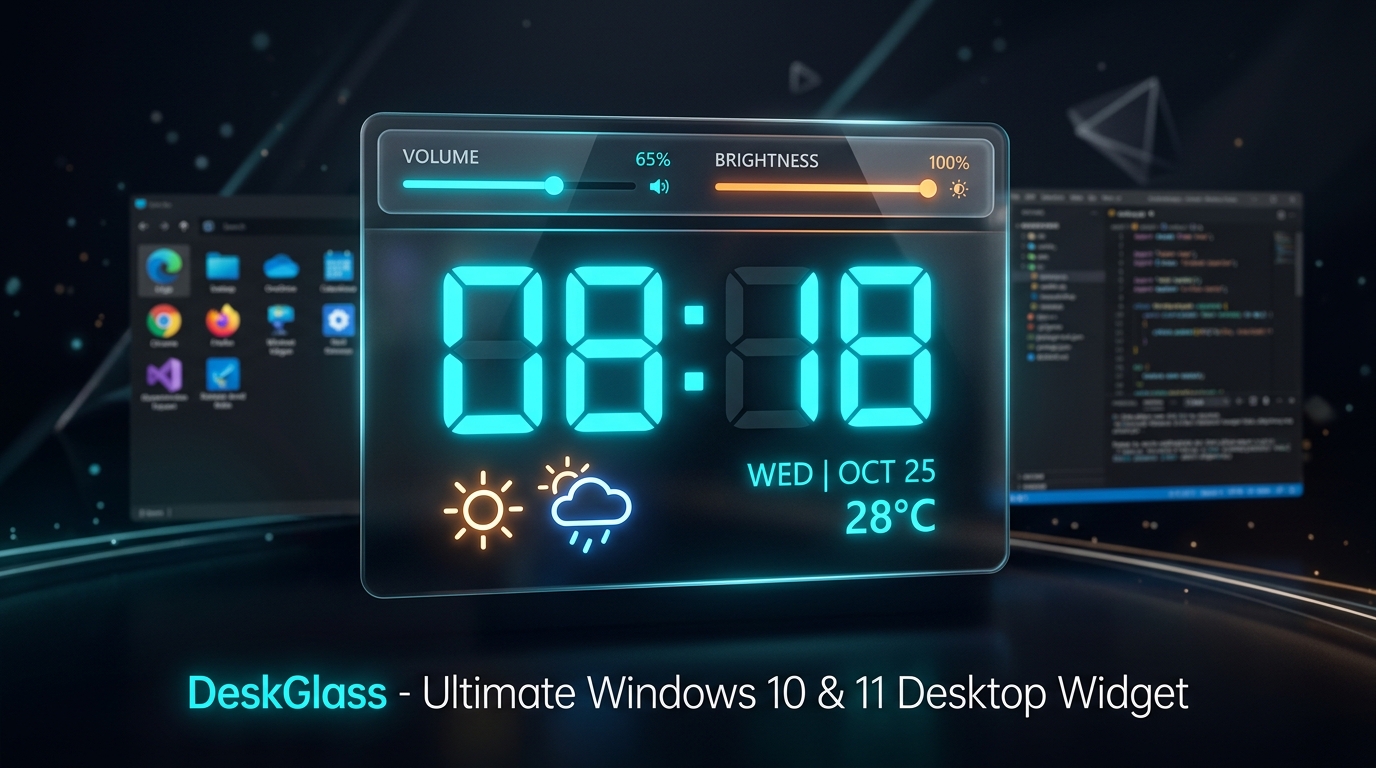
Upright crisp digital display featuring 12/24 hour formatting, blinking colon animation, and real-time month/day calendar view.
Real-Time Telemetry Monitor
Instant tracking of CPU %, RAM Memory %, GPU %, Hard Disk utilization, and real-time hardware performance metrics.
Live Upload & Download Meter
Live real-time network upload and download speed meter (KB/s & MB/s) pinned directly to your Windows Taskbar tray clock with an interactive hover stats card.
11 World Languages
100% full application translation supporting English, বাংলা, Español, Français, Deutsch, 日本語, 中文, Русский, العربية, Português, and हिन्दी.
RGB Accent & Acrylic Glass
RGB color picker wheel with live preview, customizable LED digit colors, and adjustable acrylic glass opacity slider.
Desktop Lock & Tray Control
Always-on-bottom desktop layering, pin window locking, system tray quick menu, and auto-start on Windows boot.
Replace Paid Tools Like NetMeter, NetSpeedMonitor & DU Meter
Why spend $20 to $30 on commercial bandwidth meters or struggle with broken legacy tools on Windows 11? DeskClock provides a full-featured, enterprise-grade Real-Time Network Speed Monitor and Daily Traffic Tracker natively built-in — completely free, forever!
Windows Taskbar Embedded
Subtly floats right next to the Windows 10 & 11 taskbar clock. You always know your live speed without opening browser speed tests.
Interactive Glass Hover Card
Hover your mouse over the taskbar meter anytime to instantly reveal total session data, adapter health, and upload/download breakdown.
Daily Data Quota Tracker
Monitors total bandwidth used today in GB. Prevents unexpected ISP data cap overages and detects stealthy background downloaders.
100% Free Forever (No Subscriptions)
Zero ads, zero telemetry spy trackers, and zero paywalls. A clean, privacy-first alternative to overpriced commercial utilities.
DeskClock Free Network Monitor vs Paid Commercial Alternatives
| Feature / Capability | 🌟 DeskClock (100% Free) | Paid Software (NetMeter / DU Meter) | Legacy Tools (NetSpeedMonitor) |
|---|---|---|---|
| Price & Licensing | 100% FREE FOREVER | $19.95 - $29.95 Paid License | Free (Unmaintained) |
| Windows 11 Native Taskbar Support | Native Support (No hacks) | Clunky floating window | Broken deskband on Win 11 |
| Real-Time Upload & Download (KB/MB) | Instant 800ms updates | Available | Basic |
| Interactive Glass Hover Flyout Card | Modern Acrylic Glass Card | Outdated Windows XP UI | Basic system tooltip |
| Today's Bandwidth Tracking (GB) | Auto-saved daily usage | Extra complex reports | Inaccurate / limited |
| Integrated Desktop Experience | LED Clock, Weather, RAM Cleaner | Single-purpose standalone only | Single-purpose standalone only |
| CPU & Memory Footprint | < 0.1% CPU (~35MB RAM) | 80MB - 150MB+ RAM | Driver instability / crashes |
Granular System Insights at a Single Glance
Keep your system resources in check while maintaining a sleek, modern desktop aesthetic. No heavy background load, zero bloatware.
- CPU Load %
- RAM Memory Usage
- GPU Usage %
- Disk Read/Write
- Upload Speed (KB/MB)
- Download Speed (KB/MB)
Elevate Your Mobile Home Screen with
DeskClock Seamless Acrylic Widget
Experience the perfect fusion of timeless horology and live system telemetry. Built natively in Kotlin & Android Glance / Jetpack Compose, featuring an iconic 7-Segment LED Digital Clock, Real-Time Upload & Download Speed Meter, Live Weather Briefing, and 1-Tap RAM Booster — wrapped in a pristine 40%:60% Golden Ratio frosted glass canvas.
Date & Calendar
তারিখ ও ক্যালেন্ডার
Tap the date (Mon, Sep 7, 2026) to directly open your phone's native Calendar app (Google Calendar, Samsung, Xiaomi, Oppo OEM) with a 3-tier fallback architecture. Auto-synced daily with zero battery cost.
তারিখে (Mon, Sep 7, 2026) ট্যাপ করলেই ফোনের নিজস্ব ক্যালেন্ডার অ্যাপ (গুগল ক্যালেন্ডার, স্যামসাং, শাওমি বা ওপো OEM) ৩-লেয়ার ফলব্যাক সিস্টেমে কোনো বিলম্ব ছাড়াই ওপেন হয়।
Digital LED & 95dp Dial
ডিজিটাল LED ও ৯৫dp ডায়াল
Tap the clock face (02:42) to toggle instantly between the iconic 7-Segment Neon LED (active sub-second blinking colon & 15% opacity 88:88 ghost frame) and a Full-Zone 95dp Centered Luxury Analog Dial with Roman markers.
ঘড়িতে (02:42) ট্যাপ করলেই আইকনিক ৭-সেগমেন্ট নিয়ন LED এবং সেন্ট্রাল ৯৫dp লাক্সারি অ্যানালগ ডায়ালের মধ্যে সুইচ করে। অ্যানালগ মোডে তারিখ ও পিল হাইড হয়ে ঘড়ি নিখুঁত কেন্দ্রে বসে।
12H / 24H Format Pill
১২H / ২৪H ফরম্যাট পিল
Tap the format pill (12H [PM]) to toggle instantly between standard 12-Hour format with dynamic AM/PM badge and 24-Hour military time format, updating clock digits without delay.
ফরম্যাট পিলে (12H [PM]) ট্যাপ করে তাৎক্ষণিকভাবে ১২-ঘণ্টা (ডায়নামিক AM/PM ব্যাজ সহ) বা ২৪-ঘণ্টা মিলিটারি টাইম ফরম্যাটে সময় পরিবর্তন করুন।
Live Weather Briefing
লাইভ আবহাওয়া ব্রিফিং
Tap the weather indicator (🌤️ 31°C Haze) to trigger a dedicated live briefing message card showing real-time temperature, condition, and forecast, auto-reverting after 5 seconds.
আবহাওয়ায় (🌤️ 31°C Haze) ট্যাপ করলে ৫ সেকেন্ডের জন্য লাইভ তাপমাত্রা, কন্ডিশন ও পূর্ণ পূর্বাভাস ব্রিফিং কার্ড ভেসে উঠবে এবং স্বয়ংক্রিয়ভাবে রিভার্ট হবে।
City Location Pin
সিটি লোকেশন পিন
Displays your current city (📍 Feni). Tap the pin to trigger a clean native Android system toast showing the complete geographic address (e.g., "📍 Location: Feni, Bangladesh") with smart 4-char ellipsis for long city names.
বর্তমান শহরের নাম দেখায়। পিনে ট্যাপ করলে কোনো ভারী ওভারলে ছাড়াই সরাসরি ওএস টোস্টে সম্পূর্ণ ঠিকানা ভেসে ওঠে (যেমন: "📍 Location: Feni, Bangladesh")।
Live Net Speed Meter
রিয়েল-টাইম নেট স্পিড
Continuously tracks live upload and download bandwidth (↑ 594 B/s ↓ 10.0 K/s) via Android TrafficStats. Tap the capsule pill to reveal today's total mobile and Wi-Fi data consumption (MB/GB) summary card.
লাইভ আপলোড ও ডাউনলোড ব্যান্ডউইথ ট্র্যাকিং। ক্যাপসুল পিলে ট্যাপ করলে আজকের মোট ওয়াই-ফাই ও মোবাইল ডাটা খরচের (MB/GB) লাইভ হিসাব দেখা যায়।
Live RAM Telemetry
লাইভ র্যাম টেলিমেট্রি
Monitors active system RAM load percentage (🚀 RAM 70%) directly from Linux kernel memory metrics. 100% accurate, zero polling delay, and zero battery cost.
ফোনের সক্রিয় মেমোরি লোড সরাসরি লিনাক্স কার্নেল মেট্রিক্স থেকে পর্যবেক্ষণ করে। ০% ব্যাটারি লস, ১০০% নিখুঁত পরিমাপ।
1-Tap Smart RAM Booster
১-ট্যাপ স্মার্ট র্যাম বুস্টার
Tap the emerald pill (⚡ Boost) to immediately trigger garbage collection memory trimming, purge background application cache, and receive tactile haptic vibration feedback on completion.
⚡ Boost বাটনে ট্যাপ করলে নিমিষেই মেমোরি ট্রিম ও ব্যাকগ্রাউন্ড ক্যাশ ক্লিয়ার হয়ে ফোন দ্রুতগতির হয় এবং হ্যাপটিক ভাইব্রেশন ফিডব্যাক দেয়।
1-Tap Biometric Screen Off
১-ট্যাপ বায়োমেট্রিক স্ক্রিন অফ
Tap the lock capsule (🔒 [Screen Off]) to immediately put your display to sleep. Built via native Android AccessibilityService (GLOBAL_ACTION_LOCK_SCREEN). Unlike ordinary lock apps that force a PIN/password on wake, DeskClock keeps Fingerprint & Face Unlock 100% functional while protecting your physical power button from wear.
🔒 [Screen Off] ক্যাপসুলে ট্যাপ করলে তাৎক্ষণিক স্ক্রিন স্লিপ হবে (Android AccessibilityService GLOBAL_ACTION_LOCK_SCREEN)। সাধারণ অ্যাপের মতো পাসওয়ার্ড বা পিন জোর করে চাইবে না; ফিঙ্গারপ্রিন্ট ও ফেস আনলক ১০০% সচল থাকে এবং ফিজিক্যাল পাওয়ার বাটন সুরক্ষিত থাকে।
How DeskClock's 1-Tap Screen Off Solves the Dreaded "Password Required" Android Problem
DeskClock-এর ১-ট্যাপ স্ক্রিন অফ কীভাবে অ্যান্ড্রয়েডের বিরক্তিকর "পাসওয়ার্ড আবশ্যক" সমস্যার সমাধান করে
Have you ever used a third-party "Screen Lock" or "Double Tap to Sleep" app, only to discover that every time you turn the phone back on, Android completely disables your Fingerprint Sensor and Face Unlock with the frustrating warning: "For security, password is required if you lock with a third-party app"? Here is why that happens, and how DeskClock re-engineers screen locking the right way.
আপনি কি কখনও এমন কোনো "স্ক্রিন লক" অ্যাপ ব্যবহার করেছেন, যেখানে স্ক্রিন অন করার পর অ্যান্ড্রয়েড আপনার ফিঙ্গারপ্রিন্ট বা ফেস আনলক অকেজো করে দেয় এবং লিখে দেখায়: "নিরাপত্তার স্বার্থে পাসওয়ার্ড প্রয়োজন"? জেনে নিন কেন এটি ঘটে এবং DeskClock কীভাবে সঠিক নিয়মে এটি সমাধান করেছে।
Ordinary 3rd-Party Screen Locks
সাধারণ থার্ড-পার্টি স্ক্রিন লক অ্যাপস
-
⚠️
Forces Password / PIN on Wake: Relies on deprecated Device Admin (
DevicePolicyManager.lockNow()), which Android treats as an untrusted administrative lockout. -
🚫
Kills Fingerprint & Face Unlock: Android OS completely locks out biometric hardware until you manually key in your full alphanumeric password or pattern.
-
⏳
Tedious Daily Friction: Modern users unlock their smartphones 100+ times every day. Typing a long password every time defeats the entire convenience of quick-sleep.
-
🔋
Heavy Background Daemons: Often bundles invasive device administration rights, telemetry trackers, and persistent background daemons that drain battery.
-
⚠️
ওয়েক-আপে পাসওয়ার্ড/পিন বাধ্য করে: ব্যাকডেটেড Device Admin (
DevicePolicyManager.lockNow()) ব্যবহার করায় ওএস একে আনট্রাস্টেড অ্যাডমিন লক হিসেবে দেখে। -
🚫
ফিঙ্গারপ্রিন্ট ও ফেস আনলক বন্ধ করে দেয়: ম্যানুয়ালি পুরো পাসওয়ার্ড না দেওয়া পর্যন্ত ওএস বায়োমেট্রিক হার্ডওয়্যার সম্পূর্ণ অকেজো রাখে।
-
⏳
প্রতিদিনের চরম বিরক্তি: দিনে ১০০+ বার ফোন আনলক করার সময় প্রতিবার পাসওয়ার্ড টাইপ করা অত্যন্ত বিরক্তিকর ও সময়সাপেক্ষ।
-
🔋
ভারী ব্যাকগ্রাউন্ড প্রসেস: অতিরিক্ত ক্ষতিকর অ্যাডমিন পারমিশন ও ব্যাকগ্রাউন্ড ট্র্যাকার থাকায় ফোনের ব্যাটারি দ্রুত শেষ হয়।
DeskClock 1-Tap Biometric Screen Off
DeskClock ১-ট্যাপ বায়োমেট্রিক স্ক্রিন অফ
-
⚡
Simulates Physical Power Key: Leverages native Android AccessibilityService (
GLOBAL_ACTION_LOCK_SCREEN) to dispatch the exact same kernel power-key signal. -
👆
100% Biometrics Uninterrupted: Zero password prompts! Tap your under-display or side-mounted fingerprint sensor, or look at your screen, and it unlocks in milliseconds.
-
🛡️
Preserves Mechanical Hardware: Saves your phone's delicate physical power button from thousands of clicks annually, preventing mechanical failure.
-
🔒
Strict Zero-Data Privacy: Locked with
canRetrieveWindowContent="false". Cannot inspect screen contents, keystrokes, or personal data. 0% battery impact.
-
⚡
আসল পাওয়ার বাটনের মতো সিগন্যাল: নেটিভ অ্যান্ড্রয়েড AccessibilityService (
GLOBAL_ACTION_LOCK_SCREEN) দিয়ে ফিজিক্যাল পাওয়ার বাটনের সমান কার্নেল সিগন্যাল পাঠায়। -
👆
বায়োমেট্রিক আনলক ১০০% সচল: কোনো পাসওয়ার্ড প্রম্পট নেই! ফিঙ্গারপ্রিন্ট সেন্সরে আঙুল ছোঁয়ালেই চোখের পলকে আনলক হয়ে যায়।
-
🛡️
ফিজিক্যাল পাওয়ার বাটন দীর্ঘস্থায়ী: বছরে হাজার হাজার মেকানিক্যাল ক্লিক বাঁচিয়ে আপনার ফোনের আসল পাওয়ার বাটন ভালো রাখে।
-
🔒
কঠোর জিরো-ডাটা প্রাইভেসি:
canRetrieveWindowContent="false"দিয়ে লক করা। স্ক্রিন কন্টেন্ট বা কোনো ব্যক্তিগত ডাটা পড়ার অধিকার নেই। ০% ব্যাটারি ড্রেন।
Instant Biometrics
ইনস্ট্যান্ট বায়োমেট্রিক
Fingerprint & Face Unlock work 100% uninterrupted on wake
ওয়েক-আপে ফিঙ্গারপ্রিন্ট ও ফেস আনলক ১০০% কাজ করে
Hardware Protection
হার্ডওয়্যার সুরক্ষা
Saves physical power button from thousands of mechanical clicks
ফিজিক্যাল পাওয়ার বাটনকে মেকানিক্যাল ক্ষতি থেকে রক্ষা করে
Clean Status Bar
পরিচ্ছন্ন স্ট্যাটাস বার
Zero sticky or persistent notifications in notification drawer
নোটিফিকেশন ড্রয়ারে কোনো স্থায়ী বা স্টিকি নোটিফিকেশন থাকে না
100% Zero-Data Privacy
১০০% জিরো-ডাটা প্রাইভেসি
No window reading, no background logging, zero battery drain
কোনো উইন্ডো রিডিং বা ব্যাকগ্রাউন্ড লগিং নেই, ০% ব্যাটারি লস
System Requirements
| Supported OS | Windows 10 / Windows 11 (64-bit) |
| Net Speed Meter | Live Upload & Download Meter (KB/s & MB/s) |
| Framework | Self-contained (.NET Not Required) |
| Installation | Zero Setup Single Executable |
| RAM Usage | Lightweight (~35 MB) |
| Developer | Uttam Aron |
Supported Languages (11 World Languages)
DeskClock offers localized UI elements for seamless accessibility across the globe.
DeskClock vs Traditional Desktop Gadgets
See how DeskClock compares against legacy system monitors and heavy skin customization tools.
| Key Feature / Specification | 🖥️ DeskClock Widget | Traditional Rainmeter / Gadgets |
|---|---|---|
| Installation Setup | Zero Setup (Portable .exe) | Complex Installer & Dependencies |
| RAM & CPU Overhead | ~35 MB RAM (0.1% CPU) | High Memory (150 MB+ RAM) |
| Live Upload & Download Meter | Taskbar & Desktop Live Meter | Requires Third-Party Plugins |
| Global Multi-Language Support | 11 World Languages Native | English Only / Manual Translation |
| Acrylic Glass & RGB Customization | RGB Wheel & Opacity Slider | Hardcoded Static Skins |
Loved by Gamers, Developers & Customizers
Here is what the community says about DeskClock LED Mirror & Telemetry Widget.
"The Live Taskbar Upload/Download meter is a lifesaver! I can monitor my network speed without taking up any screen space while gaming."
Alexandre D.
PC Gamer & Streamer
"Super lightweight and portable. Zero installation required. The 7-segment LED clock looks incredible on Windows 11 dark mode!"
Siddharth R.
Full-Stack Software Engineer
"11 world languages support is awesome! Bangla language support is 100% accurate. Kudos to developer Uttam Aron."
Tanzim H.
UI/UX Designer
Support DeskClock Studio
DeskClock is 100% Free & Open Source with zero ads, zero bloatware, and zero tracking. If DeskClock brings joy to your setup or boosts your productivity, consider supporting its solo developer with a cup of coffee!
Fuel future updates, new luxury widget skins, and continuous performance optimizations worldwide.
Send custom donations directly via PayPal from anywhere in the world using your card or balance.
Direct local support for Bangladeshi users via bKash or Nagad Personal 'Send Money'.
Can't donate financially? You can still make a huge impact! Star the repository on GitHub and share DeskClock with friends.
A Heartfelt Message from the Creator
"DeskClock started as a passionate indie project to build the cleanest, fastest, and most elegant desktop and mobile clock suite in the world. I don't charge a subscription or show intrusive ads. Your support—whether it's a cup of coffee, a PayPal transfer, a bKash contribution, or a GitHub star—keeps this project alive, active, and continuously improving. Thank you for being part of the DeskClock journey!"
Ready to Experience DeskClock?
Choose your operating platform below. Zero background bloat, instant portable execution on Windows and native widget performance on Android.
DeskClock for Windows
Portable single-file executable. Upright 7-segment LED clock, live Taskbar Speed Meter, and real-time CPU/RAM/GPU telemetry with zero installation required.
DeskClock for Android
Seamless 40%:60% frosted acrylic widget. 95dp luxury analog dial, live network speed monitor, 1-tap biometric screen off, and instant RAM booster.
